Dragon Warrior Accessibility
A downloadable game for Windows
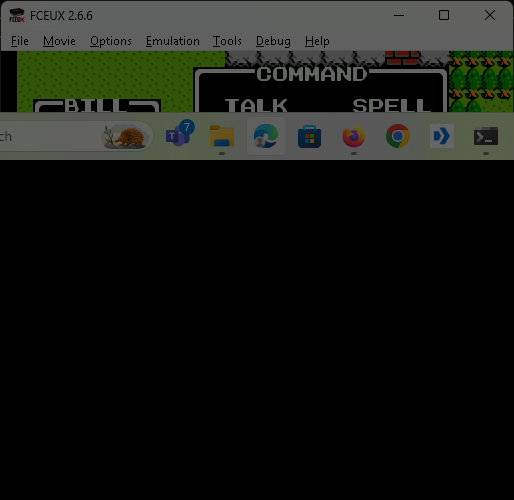
Dragon Warrior Accessibility is a free, unofficial accessibility mod designed to make the original NES Dragon Warrior playable without sight. It adds screen-reader narration, location and object information, navigation help, guided routes, and optional automated movement.
This is an alpha game-jam release. It has passed clean-package acceptance with NVDA and JAWS, but it has not yet been validated through the entire game. Players should expect incomplete route coverage and occasional troubleshooting.
Important: bring your own ROM
The copyrighted Dragon Warrior ROM is not included. You must provide your own legally obtained copy of Dragon Warrior (USA) (Rev 1).
The supported ROM is 81,936 bytes with SHA-256:
676B89D76CF9E83EED76C0A67F81DA906916F0BCE321CF3A9A39AC78BC9C0845
The installer checks this fingerprint. Power users may explicitly accept the risk of trying a different revision or ROM hack, but narration, navigation, game behavior, and save compatibility are not guaranteed.
Quick start
- Download the Windows player ZIP and extract the entire archive to a writable folder. Do not run it from inside the ZIP.
- Run
Install Dragon Warrior.cmd. - Select your legally obtained Dragon Warrior (USA) (Rev 1) ROM when asked.
- Run
Play Dragon Warrior.cmdwhenever you want to play.
Setup includes the tested FCEUX environment and speech components. No separate Python or emulator installation is needed for the recommended player package. Read README.txt for full guidance and Keyboard Commands.txt for a concise shortcut reference.
Accessibility features
- Screen-reader narration for menus, dialogue, battles, status, shops, inns, items, spells, and other gameplay text.
- Support for active NVDA, installed JAWS, or Windows SAPI5 fallback speech.
- Spoken map names, coordinates, HP, MP, level, gold, experience, statistics, and detected screen text.
- An object browser for NPCs, services, treasure, doors, stairs, exits, and travel destinations.
- Object category and reachability filters.
- Path previews, spoken route guidance, tap-to-step movement, and auto-walk.
- Guided overworld routes between a growing set of important locations.
- Keyboard and physical-controller gameplay support.
- Optional direct movement to selected objects for recovery or testing.
Basic controls
- Arrow keys: movement and menu navigation.
F: NES A; confirm or interact.D: NES B; cancel or go back.Enter: Start.S: Select.J,K,L: previous, describe, and next object.C: announce location and coordinates.H: announce HP and MP.O: preview a path to the selected object.R: start or check guidance for a selected Travel object.U: auto-walk after the key is released.
The complete customizable command list is included as Keyboard Commands.txt.
Alpha limitations and direct-movement warning
Map decoding and route coverage are incomplete. Auto-walk may stop for combat, dialogue, menus, locked doors, moving NPCs, or an unmodeled collision.
Direct movement uses Shift+Enter or Shift+Arrow. It can bypass normal terrain, encounters, transitions, and progression checks. Misuse may leave a session inconsistent or produce unusable save data. Save normally before experimenting. If ordinary controls stop responding after direct movement, press Start once. If needed, reload the accessibility script, or close without saving and restart from a known-good save.
One non-ASCII extraction path was tested successfully. A non-ASCII Windows username has not yet been tested. Windows and screen-reader combinations beyond the development system still need broader community testing.
Links, source, and credits
Created and tested by Bill Freeman, also known as techdog420. Project and third-party license information is included in the player package. Matching corresponding source for the bundled FCEUX, Qt, and NVDA components is available as a separate release download.
Generative AI disclosure
This project contains AI-assisted code and documentation. Bill Freeman, a blind developer, used Codex as a personal accessibility tool to inspect otherwise difficult development interfaces, summarize logs, implement directed changes, and support testing. Project direction, design decisions, and hands-on blind-player acceptance testing were performed by Bill. The release contains no generative-AI-created graphics, music, sound, story, or in-game dialogue.
This is an unofficial, fan-made accessibility project. It is not affiliated with or endorsed by Square Enix, Nintendo, or the original game's developers or publishers. Dragon Warrior and related names and assets belong to their respective owners.
Download
Install instructions
Extract the entire Windows player ZIP to a writable folder. Do not run it from inside the ZIP.
Run Install Dragon Warrior.cmd, select your legally obtained Dragon Warrior (USA) (Rev 1) ROM, and then run Play Dragon Warrior.cmd.
The copyrighted ROM is not included. Full installation instructions and troubleshooting are in README.txt. The quick control reference is Keyboard Commands.txt.
Leave a comment
Log in with itch.io to leave a comment.